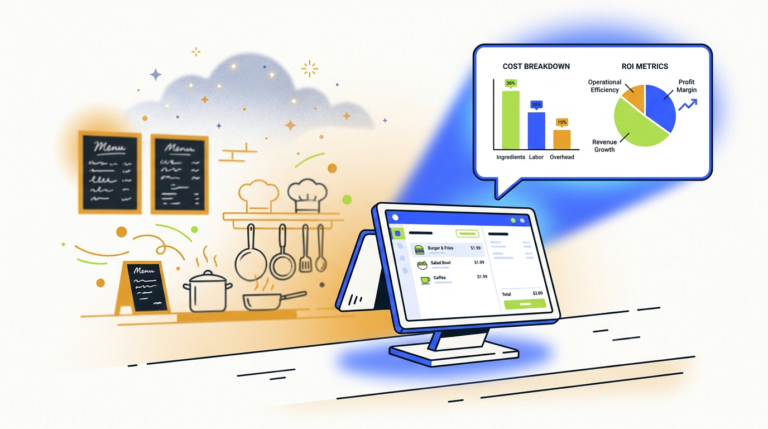
Restaurant Order Automation AI: A Guide to Costs & How It Works
Restaurant order automation AI uses artificial intelligence, like voice AI and natural language processing, to take customer orders…
The best free AI assistant depends on your needs. For general tasks and creative writing, ChatGPT’s free tier is a strong start. Google Gemini excels at real-time web search and integration, while Claude Sonnet is best for analyzing long documents. All have significant limitations on their free plans.
Let’s be honest: finding the best free AI assistant in 2026 feels like a trick question. Most “free” tools are just clever marketing for a paid product, designed to get you hooked before you hit a paywall. And the internet is littered with lists that just parrot the same big names without telling you what they’re actually like to use every day.
We think that’s unhelpful. You don’t need ten AI tools. You need one or two you actually use.
So, we put five of the most promising free AI assistants to the test as our daily drivers for a month. We weren’t looking for benchmark scores; we were looking for what works, what breaks, and what’s just not worth your time. This is the real, unhyped guide to what you should use and what you should skip.
There’s no such thing as a free lunch, and there’s certainly no such thing as a free supercomputer in the cloud. Running these massive AI models costs a fortune in electricity and processing power. So, how can companies offer them for free?
Simple: the free tier is a product demo. It’s designed to give you a taste of the magic, but with clear guardrails to encourage you to upgrade. These limits usually come in three forms:
Understanding this is key. The goal of a free tier isn’t to give you everything for nothing; it’s to show you just enough value that paying seems worth it. Our job is to help you squeeze every last drop of value out of “free” before you ever have to open your wallet.
Let’s cut through the jargon. An AI assistant is just a piece of software that uses artificial intelligence to understand what you want and help you get it done. You give it a request in plain English (a “prompt”), and it uses its training to provide an answer, create something new, or perform a task.
It sounds simple, but knowing the type of assistant you’re dealing with is the secret to getting good results. They generally fall into two camps.
A conversational chatbot is like a brilliant, obedient intern. It waits for your command, executes it, and then waits for the next one. ChatGPT, Google Gemini, and Claude are the most famous examples. They are fantastic for question-answering, writing, and brainstorming. They react to you.
An autonomous agent is more like a proactive project manager. You give it a broader goal, and it can take multiple steps on its own to achieve it, sometimes without you even watching. Tools like Sai or Reclaim AI fall into this category. They act for you.
Most people think they just want a chatbot, but the real power often lies in finding a small, specialized autonomous agent to handle a specific part of your workflow.
We didn’t run synthetic benchmarks or ask theoretical questions. To find the best free AI assistant, we forced ourselves to use them for the real, messy tasks that fill up a workday.
For 30 days, we integrated these tools into our daily workflow, assigning each one to handle:
We weren’t just judging accuracy. We were scoring for usability, speed, and, most importantly, how often we slammed into a paywall or a “Come back in 3 hours” message. The winners are the tools that were genuinely helpful, not just occasionally clever.
After a month of testing, we found that the “best” free AI is actually a small team of specialists. Here are the ones that earned a permanent spot in our bookmarks.
| AI Assistant | Best For | Key Limit on Free Tier | Standout Feature |
|---|---|---|---|
| ChatGPT (Free) | General purpose, creative tasks | Uses older model (GPT-3.5), message caps on GPT-4o | Access to the GPT Store |
| Claude Sonnet | Reading & summarizing long documents | Strict message limits | Massive context window |
| Google Gemini | Real-time web search & Google ecosystem | Fewer creative controls | Live Google Search integration |
| DeepSeek | Coding and technical questions | “Fair use” policy, less polished | Excellent code generation |
| Sai by Simular | Automating repetitive browser tasks | Limited number of saved workflows | Learns by watching you work |
What it is: The original, category-defining AI chatbot from OpenAI. It’s the default choice for a reason and the one most people start with.
Who it’s for: Anyone and everyone. If you’re new to AI and just want a versatile tool for brainstorming, drafting emails, or getting quick answers, start here.
The Standout: It’s the jack-of-all-trades. While others on this list are better at specific tasks, no other free AI can handle such a wide range of requests as competently as ChatGPT.
What it is: Anthropic’s flagship conversational AI, known for its thoughtful responses and massive “context window.”
Who it’s for: Students, researchers, lawyers, or anyone who needs to analyze dense documents. If you have a 100-page PDF report and need a summary now, Claude is your guy.
The Standout: That context window. The ability to upload multiple files (up to 5 on the free tier) and ask questions across all of them is a superpower for any research-heavy task.
What it is: Google’s direct answer to ChatGPT, with the full power of Google Search baked right in.
Who it’s for: Anyone who needs up-to-the-minute, web-verified information. It’s also a no-brainer for people already living in the Google ecosystem (Gmail, Docs, Drive).
The Standout: Live access to the internet. While other AIs can browse the web, Gemini is the web. For questions like “What were the key moments from yesterday’s F1 race?” or “Summarize the top news stories about this company,” it’s unbeatable.
What it is: A lesser-known but powerful free AI assistant specifically trained on a massive dataset of code.
Who it’s for: Developers, programmers, and hobbyist coders. If your primary use for an AI is writing, debugging, or explaining code, give this a serious look.
The Standout: Its coding prowess. For a free tool, its ability to understand complex programming requests and generate functional, clean code is deeply impressive.
What it is: An autonomous AI agent that lives in your browser. Instead of you telling it what to do, it watches you perform repetitive tasks and then offers to do them for you.
Who it’s for: Anyone who spends too much time on mind-numbing, repetitive browser tasks like copying data from one tab to another or filling out the same forms over and over.
The Standout: It learns by watching. You don’t need to write code or use a complex interface. You just do your work, and it figures out how to automate it.
One of the best free AI assistants isn’t a chatbot at all. Reclaim AI is an autonomous agent for your calendar. You connect it to Google Calendar, tell it about your tasks and habits (e.g., “I need to spend 5 hours on Project X this week,” or “I want to work out 3 times a week”), and it does the rest.
It intelligently finds and blocks out time, automatically rescheduling when conflicts arise. It’s not just a calendar app; it’s an AI time manager that defends your focus time. The free plan is more than enough for solo users to organize their tasks and habits, making it one of the most practical free AI tools for daily use available.
DeepSeek advertises its free tier with no published message cap, which sounds like the answer to the question, “which AI is free to use without limits?” The reality is a bit more complicated. While you won’t see a “you have 5 messages left” warning, there’s always a limit.
“Unlimited” in the world of free AI really means “no hard-and-fast number.” Instead, they use a “fair use” policy and behind-the-scenes rate limiting. If you start sending hundreds of requests in a short period, you’ll likely find your connection slowed down or temporarily blocked. They do this to prevent abuse and manage the immense cost of running their servers. So, it’s generous, but not truly infinite.
Don’t pay for an AI assistant until you’ve hit the limits of the free tier and it actually hurts your workflow. Here’s how to make the free plans work harder for you.
This is the most important section of this guide. When you use a free, public AI assistant, you must assume your conversations are not private.
Most companies state in their terms of service that they can use your conversations to train their future AI models. This means that employees or contractors could potentially read your chats. While data is often anonymized, you should never, ever paste sensitive information into a free AI chatbot.
This includes:
Think of a free AI chatbot like a public forum, not a private conversation. The convenience is not worth the risk of a data breach.
The world of free AI is moving incredibly fast. Here’s what we expect to see become standard over the next couple of years:
No popular AI assistant is truly free to use without any limits. Services that advertise “unlimited” use, like DeepSeek, operate on a fair-use policy. This means that while there’s no specific message cap, they reserve the right to slow down or restrict accounts that use an excessive amount of resources to prevent abuse and manage server costs. The fundamental cost of running these models means there is always a limit, whether it’s published or not.
For most people, the best free AI assistant for daily use is ChatGPT’s free tier. Its versatility in handling a wide range of tasks—from drafting emails and brainstorming ideas to writing code snippets and answering general questions—makes it the most effective all-around tool. While other tools are better for specific niches, ChatGPT provides the most consistent value for the widest array of everyday tasks. For a deeper look at your options, check out our guide to the best free AI chat tools.
No, you should not consider free AI chatbots safe for personal or sensitive data. Most free AI services use the conversations you have with their chatbot to train and improve their models. This means your data could be reviewed by human employees. Always assume your conversations are not private and avoid inputting any personally identifiable information, financial details, passwords, or confidential work documents.
To get the most out of a free AI assistant, use a multi-tool strategy. Use each assistant for its specific strength: Google Gemini for real-time web searches, Claude for summarizing long documents, and ChatGPT for creative writing. Keep your conversations focused and start new chats for new topics to avoid confusing the AI. Finally, be specific and clear with your instructions to get better results with fewer messages, which helps you stay under the free message limits.
Can free AI assistants create images?
Some free AI assistants have limited image generation capabilities. For example, Google Gemini’s free tier can create images. However, the highest quality and most controllable image generation is typically found in dedicated AI image generator tools or on the paid tiers of assistants like ChatGPT Plus (which uses DALL-E 3).
What’s the main difference between a free and paid AI assistant?
The main differences are power, access, and features. Paid tiers almost always give you access to the company’s latest, most powerful AI model, which provides more accurate and nuanced responses. You also get much higher (or unlimited) message limits and access to advanced features like data analysis, file uploads, and integrations with other apps.
Do I need to be a programmer to use these tools?
Absolutely not. All the tools on this list are designed to be used by everyone, regardless of technical skill. You interact with them using plain, natural language, just as you would text a friend. The rise of these tools is all about making powerful technology accessible to non-engineers.

Part of the Thinker's Automation Labs content team. Researches with the SEO Blog Research Agent, drafts the piece, and routes it through review before publishing. Every claim is fact-checked against primary sources.
Restaurant order automation AI uses artificial intelligence, like voice AI and natural language processing, to take customer orders…

The latest AI tools released in October 2026 include new proprietary models from major labs like OpenAI and…

Playwright is a browser automation library used for web scraping by controlling real browser engines like Chromium, Firefox,…