
Restaurant Order Automation AI: A Guide to Costs & How It Works
Restaurant order automation AI uses artificial intelligence, like voice AI and natural language processing, to take customer orders…
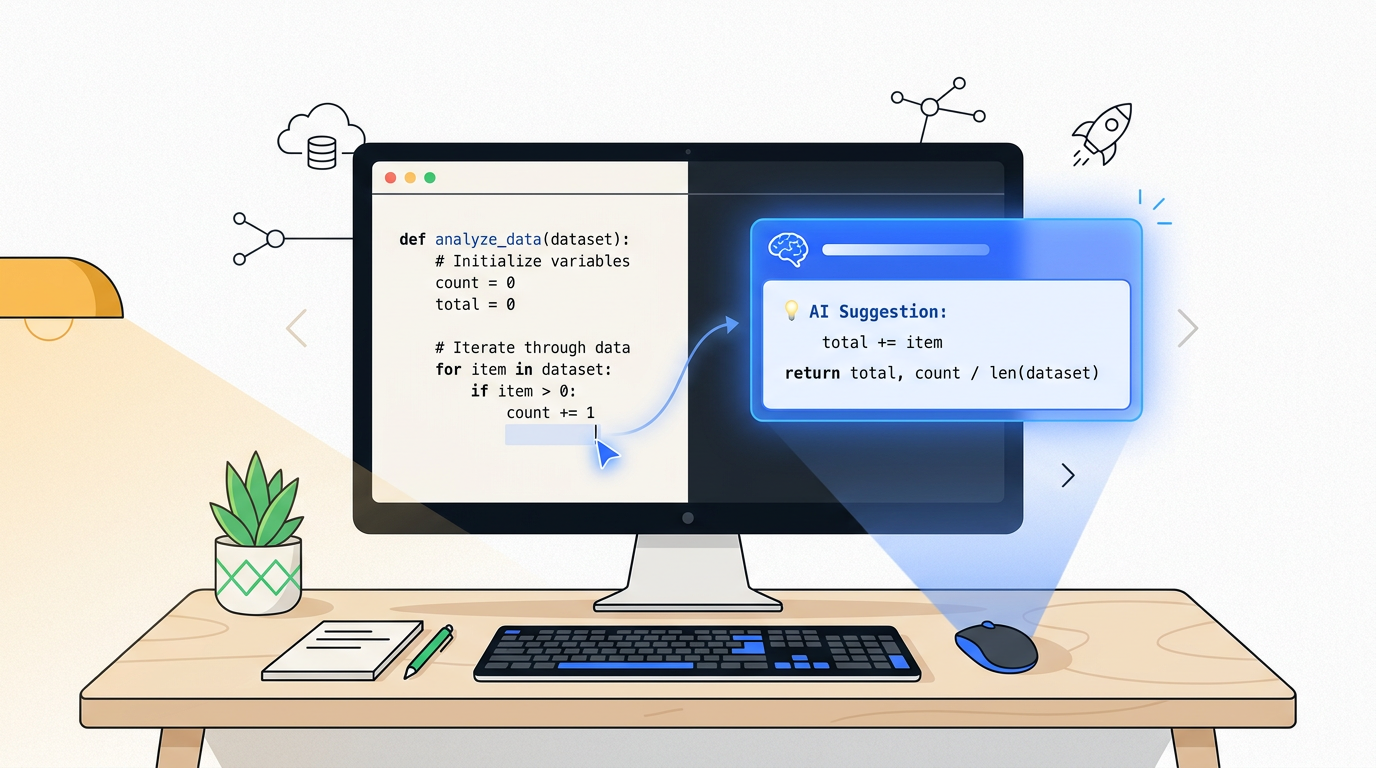
The best AI for Python coding depends on your task. GitHub Copilot is the top all-rounder for general development inside IDEs like VS Code. For deep integration within its ecosystem, PyCharm AI is excellent. Beginners can start with ChatGPT for learning concepts and generating simple scripts.
Let’s get one thing straight: no AI is going to write a perfect, complex Python application for you from a one-sentence prompt. Not yet, anyway. Thinking of these tools as magic code-writing genies is the fastest way to get frustrated.
The truth is much more useful. The best AI for Python coding acts as a hyper-competent assistant. It’s a partner that sits next to you, anticipates your next move, handles the tedious parts, and never gets tired of answering dumb questions. It’s a feature that enhances your ability, not a product that replaces it.
For years, Python has been a top choice for beginners, data scientists, and web developers, and now AI is making it even more accessible. But the market is flooded with options, most of them just repackaged versions of the same technology.
I’ve spent hundreds of hours using these AI coding assistants to build real things. This guide cuts through the noise. We’ll skip the hype and focus on what actually works, who it’s for, and which tools you can safely ignore. We’ll start by figuring out what you actually need to do, then review the top contenders.
The “best” tool is meaningless without context. Your specific goal is the only thing that matters. Are you learning, building, or analyzing? Your answer changes the recommendation completely.
If you’re just starting your journey with AI and programming languages or need a quick script to automate a simple task, your best friends are the conversational AIs.
Start with: ChatGPT or Claude.
These tools are brilliant for explaining concepts. You can ask, “What’s a Python dictionary and how is it different from a list?” and get a clear, patient answer. You can also give them a task in plain English, like “Write me a Python script that renames all the .jpg files in a folder to include today’s date,” and they’ll give you a working starting point. The workflow is simple: ask, copy, paste, and test.
Once you move beyond single files into multi-file projects like a web app using frameworks like Django or Flask, a simple chatbot won’t cut it. You need an AI that lives inside your code editor and understands the context of your entire project.
Use: GitHub Copilot or PyCharm AI.
These tools are integrated into your Integrated Development Environment (IDE). They see all your files, understand how they connect, and offer much more relevant suggestions. They can autocomplete entire functions based on the other code you’ve written, making development significantly faster.
For data science and analysis, Python is king, thanks to libraries like Pandas for data manipulation and NumPy for numerical operations. Much of this work happens in Jupyter Notebooks.
The best choice is: GitHub Copilot.
Copilot’s integration with VS Code’s Jupyter Notebook environment is seamless. It can look at your data frame and suggest the next line of code for cleaning, filtering, or plotting. It’s incredibly good at the boilerplate code that makes up 80% of data analysis, freeing you up to think about the results.
One of the most powerful uses for AI is understanding and improving code that’s already been written. Whether it’s code you wrote last year or code someone else wrote, AI can help you make sense of it.
Your best bet: GitHub Copilot, PyCharm AI, or Cursor.
These tools have a “big picture” view of your codebase. You can highlight a confusing function and ask, “Explain what this code does.” Or you can select a messy block of code and command the AI to “refactor this for clarity.” This process of cleaning up code, known as refactoring, is where these integrated assistants truly shine.
This table gives you a quick overview of the top players. We’ll dive into the details on each one below.
| Tool | Best For | Price | Free Plan | Key Feature |
|---|---|---|---|---|
| GitHub Copilot | The all-around best for most people | $10/month | Yes (for students & OSS maintainers) | Seamless integration with VS Code; industry standard. |
| PyCharm AI | Developers in the JetBrains ecosystem | $10/month (add-on to Pro IDE) | No | Deep, native integration with PyCharm and other JetBrains IDEs. |
| Cursor | Those wanting an ‘AI-first’ experience | $20/month | Yes (generous) | An entire IDE built around AI, with powerful context features. |
| ChatGPT & Claude | Beginners, learning, and brainstorming | $20/month (for Plus/Pro) | Yes (powerful) | Excellent conversational abilities for explaining concepts. |
| Tabnine | Privacy-conscious users and teams | $12/month | Yes (basic completions) | Can run a local-first model, keeping your code off the cloud. |
Let’s break down what makes each of these tools great, and who should—and shouldn’t—use them.
What it is: An AI coding assistant from GitHub and OpenAI that integrates directly into your code editor, most popularly VS Code.
Who it’s for: Almost everyone. If you’re not sure where to start, start here. It’s the benchmark against which all other tools are measured.
The Standout: Its integration with VS Code is flawless. It just works, staying out of your way until you need it. It’s the one tool that feels less like a gadget and more like a fundamental part of the development process.
What it is: JetBrains’ answer to Copilot, built directly into their family of IDEs, including the very popular PyCharm for Python developers.
Who it’s for: Anyone who already lives and breathes in the JetBrains ecosystem and uses PyCharm Professional.
The Standout: If you’re a PyCharm pro, this feels like a natural extension of the tool you already love. It leverages all the powerful code intelligence PyCharm is known for and adds an AI layer on top.
What it is: Not just a plugin, but an entire code editor (a “fork” of VS Code) built from the ground up around AI.
Who it’s for: Developers who are willing to change their primary tool to get a more deeply integrated AI experience.
The Standout: Cursor’s ability to reason across multiple files is its killer feature. Ask it to “add a new API endpoint for users” and it can correctly modify the router, controller, and model files all at once.
What it is: Powerful, general-purpose large language models (LLMs) with a chat interface. We’re grouping them because they serve a similar role for coding.
Who it’s for: Beginners learning Python, or anyone needing to brainstorm, debug a specific error, or generate a standalone script.
The Standout: They are fantastic “rubber ducks.” Explaining your problem to ChatGPT or Claude often helps you spot the solution yourself, and if not, they’ll usually provide a helpful suggestion.
What it is: One of the original AI code completion tools, now with a strong focus on privacy and security.
Who it’s for: Individuals, startups, and large enterprises who are rightfully paranoid about their proprietary code being sent to a third-party cloud.
The Standout: The local-first option is a game-changer for anyone working with sensitive data or under strict corporate compliance rules. It’s the only way to get AI assistance with a zero-trust security posture.
An AI assistant is only useful if it fits into your workflow. “IDE” stands for Integrated Development Environment—think of it as a super-powered text editor like VS Code or PyCharm, designed specifically for writing code.
The setup and learning curve vary wildly. GitHub Copilot is a simple extension you install in VS Code; you’ll be up and running in five minutes. PyCharm AI is even easier, as it’s built into the IDE—you just have to activate your subscription.
Cursor has the steepest curve because it asks you to switch your entire editor. It feels familiar if you know VS Code, but it’s still a change. ChatGPT and Claude have zero integration, which is both a blessing and a curse. There’s nothing to install, but the manual copy-paste workflow creates the most friction.
Version control, usually managed with a tool called Git, is how developers track changes to their code. It’s like a “track changes” feature for your entire project.
This is where GitHub Copilot, being a GitHub product, has a natural advantage. It can help you write descriptive “commit messages” (the notes you leave about what you changed) and even help you review code changes from teammates. Cursor also has some clever Git integrations.
For the most part, however, other tools are agnostic. They help you write the code, but it’s still up to you to save it, track the changes, and manage your project’s history using standard Git commands.
AI doesn’t just write new code; it’s a powerful tool for improving existing code. This process is called “refactoring”—restructuring code to make it cleaner, more efficient, and easier to understand without changing its external behavior.
This is a huge win. You can highlight a dense, unreadable function you wrote at 2 AM and ask Copilot or PyCharm AI, “Refactor this for readability.” The AI will often break it into smaller, well-named functions with comments.
But remember the golden rule: trust, but verify. The AI-generated code is a suggestion, not a decree. It can sometimes be overly clever or miss the bigger picture. You are still the architect; the AI is just a very skilled mason.
Writing tests is the responsible, professional thing to do. It’s also tedious and often neglected. AI assistants are phenomenal at this.
A “unit test” is a small piece of code that checks if another small piece of your code is working as expected. With tools like Copilot, Cursor, or PyCharm AI, you can simply point to a function and say, “Write unit tests for this.”
The AI will generate a test file that covers various scenarios: the normal case, edge cases, and what should happen when things go wrong. This dramatically lowers the barrier to writing well-tested, reliable code, which is a massive productivity boost for projects of any size.
While the big names dominate the conversation, a tool called Bito has been quietly gaining a loyal following. It markets itself as a way to “10x your developer productivity,” which we’ll take with a grain of salt, but its performance is genuinely impressive.
Bito works as an IDE extension and offers a suite of AI-powered capabilities, from code generation and explanation to test creation and security checks. Users often praise its speed and the quality of its suggestions. It’s not as established as Copilot, but it’s a powerful and versatile underdog that is definitely worth trying if you find the mainstream options aren’t quite clicking for you.
This is the big, important question nobody likes to ask: when you use an AI coding assistant, where does your code go?
local-first model that runs entirely on your machine, ensuring your code never leaves your network.The bottom line: Before you connect an AI to your company’s private codebase, read the privacy policy. If it’s not crystal clear, assume your code is being used for training and choose a more secure option like Tabnine or an enterprise plan.
We’re moving beyond simple code completion. The next frontier is autonomous AI agents. Tools like Cursor are already experimenting with an “agent mode” where the AI can be given a high-level task, create a plan, and then execute that plan by writing and debugging code across multiple files.
We are seeing AI agents evolve from assistants to active participants. They can now identify security vulnerabilities and independently generate and apply the fixes. This shifts the human role from a doer to a strategic overseer.
Furthermore, the “race to free AI” is accelerating. Open-source models like Codestral and Qwen 2 are becoming powerful enough to run on local machines, offering a future where high-quality AI assistance is free, private, and accessible to all. The reliance on expensive, proprietary cloud APIs is not a given.
ChatGPT is the best AI tool for Python beginners focused on learning. Its conversational interface is perfect for asking questions, understanding core concepts like loops and data structures, and getting code examples with clear explanations. For beginners starting to write code in an editor, GitHub Copilot in VS Code is a great next step, as it introduces them to the industry-standard workflow with a gentle learning curve.
Yes, for the act of writing code, GitHub Copilot is significantly better than ChatGPT. Copilot integrates directly into your code editor (like VS Code), providing real-time, context-aware suggestions as you type. It understands your entire project. ChatGPT is a conversational tool in a separate window, best for brainstorming ideas, explaining concepts, or debugging isolated snippets you copy and paste. Copilot is a co-pilot; ChatGPT is a consultant you call.
The best completely free option depends on your needs. For learning and generating scripts, the free versions of ChatGPT and Claude are incredibly powerful. For an integrated experience inside your code editor, the free tier of Cursor is very generous, offering many of its AI-first features without a subscription. The free version of Tabnine also provides solid, privacy-focused code completions.
GitHub Copilot is the best AI for data science and analysis in Python. Its integration with VS Code and Jupyter Notebooks is exceptional. It excels at generating boilerplate code for popular data science libraries like Pandas, NumPy, Matplotlib, and Scikit-learn. You can write a comment describing a complex data manipulation or plot, and Copilot will often generate the exact code needed, saving a tremendous amount of time.
Can AI write a complete Python application for me?
No, not reliably. AI is excellent at generating functions, classes, and scripts. It cannot yet handle the high-level architecture, complex logic, and nuanced decision-making required to build a robust, end-to-end application from scratch. Think of it as a bricklayer, not the architect.
Do I still need to learn Python if I use these tools?
Yes, absolutely. In fact, you need to know Python more than ever. These tools will generate code, but it’s your job to understand it, debug it, and verify that it’s correct and secure. Using an AI assistant without knowing the language is like trying to edit a legal document in a language you don’t speak.
Are these AI tools safe for my company’s private code?
It depends entirely on the tool and the plan you choose. Free, consumer-grade tools often use your data for training. For corporate or proprietary code, you must use a tool with a clear privacy policy (like PyCharm AI), a local-first option (like Tabnine), or an enterprise-level plan that explicitly guarantees your code remains private.

Part of the Thinker's Automation Labs content team. Researches with the SEO Blog Research Agent, drafts the piece, and routes it through review before publishing. Every claim is fact-checked against primary sources.
Restaurant order automation AI uses artificial intelligence, like voice AI and natural language processing, to take customer orders…

The latest AI tools released in October 2026 include new proprietary models from major labs like OpenAI and…

Playwright is a browser automation library used for web scraping by controlling real browser engines like Chromium, Firefox,…