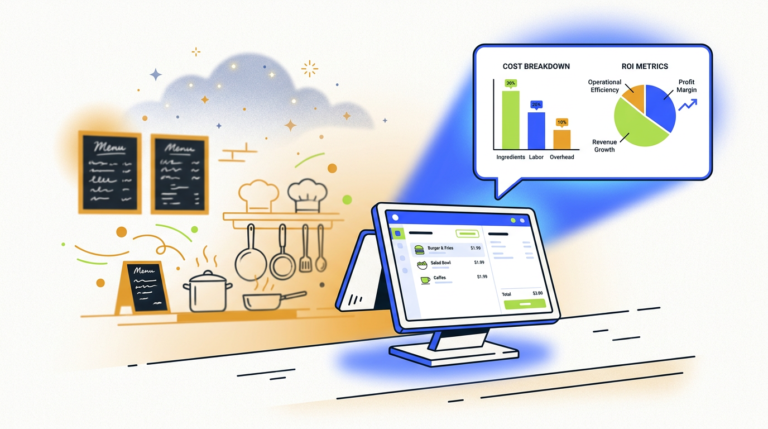
Restaurant Order Automation AI: A Guide to Costs & How It Works
Restaurant order automation AI uses artificial intelligence, like voice AI and natural language processing, to take customer orders…

Using AI for job interviews involves leveraging tools like ChatGPT for company research, generating practice questions, and conducting mock interviews. AI can help you refine your answers using frameworks like STAR, analyze your delivery for clarity, and identify areas for improvement before the actual interview.
Let’s be honest: interview prep is a soul-crushing grind. You stare at the job description, try to guess the questions, and practice your “biggest weakness” answer in the mirror until you’ve lost all sense of self. It’s a necessary evil. But using AI tips for job interviews can make the process less painful and a lot more effective.
Think of AI not as a cheat code, but as the world’s most patient, well-informed, and slightly-less-judgmental career coach. It won’t get you the job—that’s on you. But it will make sure you walk into that room (or Zoom call) more prepared than anyone else.
The goal here isn’t to have an AI write your answers and then recite them like a malfunctioning automaton. The goal is to use AI to do the heavy lifting—the research, the question generation, the endless practice—so you can focus on what matters: telling your story, connecting with the interviewer, and showing them you’re the right person for the job.
We’re going to walk through a simple, three-step framework to use AI for career prep. This is about using the tools smartly to sharpen your own skills, not to replace them.
AI can help you prepare for a job interview by acting as a tireless research assistant and practice partner. It can summarize a company’s recent news, financials, and culture in minutes, generate a list of likely interview questions based on the job description, and run you through mock interviews to help you structure your answers and identify weak spots.
Because your competition already is. But more importantly, because it saves you a staggering amount of time and gives you an edge.
Most of the “AI for interviews” tools you see advertised are just thin wrappers around ChatGPT. You don’t need a dozen different subscriptions. You just need one or two good tools and the right prompts.
| Tool | What It Is | Best For | Verdict |
|---|---|---|---|
| ChatGPT / Claude / Gemini | Large Language Models (LLMs) | General prep, research, question generation, answer structuring. | Start here. This is the one most people actually need. It’s the Swiss Army knife for 90% of your prep. |
| Yoodli / Vowel | AI Speech & Delivery Coaches | Mock interviews and granular feedback on pace, filler words, and body language. | Great for the final polish. Use this after you’ve prepared your content with an LLM. |
These are the big three large language models (LLMs). Think of them as incredibly smart, incredibly fast research assistants. You can use any of them for the prompts we’ll cover. They’re all great for brainstorming, research, and structuring your thoughts.
These tools are specifically designed to analyze how you speak. You record yourself answering a question, and the AI gives you a detailed report on your pacing, your use of filler words (“um,” “like,” “you know”), your eye contact, and more.
Skip the dozens of niche “AI Interview Prep” websites that have popped up. Most are just charging you a monthly fee for a slick interface that runs your prompts through the ChatGPT API in the background. You can do the exact same thing yourself for free or with a standard ChatGPT Plus subscription. Don’t pay a premium for a pretty wrapper.
Good answers are tailored answers. Tailored answers require good research. This used to mean spending a day reading boring corporate reports. Now, it takes about ten minutes.
Copy and paste the company’s “About Us” page, their latest press releases, or the CEO’s recent interviews into ChatGPT and use a prompt like this:
“I am interviewing for a [Job Title] role at [Company]. Based on the text I’ve provided and your general knowledge, summarize the company’s top 3 strategic priorities for this year, their biggest recent challenge, and their core company values. Present it as a brief for an incoming employee.”
This gives you the key talking points you need to align your answers with what the company actually cares about.
The best interviews are conversations. At the end, when they ask, “Do you have any questions for us?” you need to have something better than, “What’s the typical day-to-day like?”
Use the research you just did to generate insightful questions that show you’ve done your homework.
Prompt: “Based on my research that [Company]’s top priority is ‘expanding into the European market’ and the job description for [Job Title] emphasizes ‘cross-functional collaboration,’ generate 3 insightful questions I can ask my interviewer. The questions should demonstrate my understanding of their goals and connect them to the responsibilities of my potential role.”
Example Output:
See the difference? These aren’t generic questions. They’re conversation starters that prove your interest and expertise.
The best AI tools for mock interviews are a combination of a large language model like ChatGPT for generating questions and structuring answers, and a dedicated speech-coaching tool like Yoodli for analyzing delivery. Use ChatGPT to simulate the interviewer and practice your content, then use Yoodli to record yourself and get feedback on pace, filler words, and confidence.
Now it’s time to practice. You can run a full mock interview session right inside your AI tool of choice.
Start a new chat and set the scene.
Prompt: “You are an experienced hiring manager at a tech company. I am a candidate for a Senior Product Manager role. Let’s run through a 30-minute mock interview. Start by asking me ‘Tell me about yourself,’ and then ask me a mix of behavioral and technical questions relevant to this role. After each of my answers, give me brief feedback on its structure and clarity before moving to the next question.”
Then, you just talk (or type) your way through the interview. The key is the feedback loop after each question. This helps you adjust in real-time.
ChatGPT is great for content, but terrible for delivery. For that, you need a tool that can listen.
This combination gives you the best of both worlds: content feedback and delivery coaching.
To use ChatGPT for interview practice without losing authenticity, treat it as a brainstorming partner, not a scriptwriter. Use it to generate ideas, structure your answers with frameworks like STAR, and identify weak points. Then, rewrite the final answers in your own words, using your own stories and personality. The AI provides the skeleton; you provide the soul. Never copy and paste an AI-generated answer directly.
For behavioral questions (“Tell me about a time when…”), the STAR method is the gold standard. It’s a simple way to tell a compelling story with a clear beginning, middle, and end.
Most people know the STAR method, but struggle to apply it under pressure. AI makes it easy to practice.
Prompt: “Here is a messy, rambling story from my last job: [Paste your long, unstructured story here]. Please restructure this story into the STAR method format for an interview answer. Make it clear, concise, and focused on my individual contribution. The original question was ‘Tell me about a time you dealt with a difficult stakeholder.'”
The AI will act as an editor, cutting the fluff and highlighting the parts that matter. It will often spot the “Result” you forgot to mention.
This is the most important part. An AI-optimized answer is not the final answer. It’s the draft.
Authenticity is your greatest asset. AI is just a tool to help you present your authentic self more clearly.
Yes, AI can significantly help you answer behavioral interview questions. Use a tool like ChatGPT to practice the STAR method (Situation, Task, Action, Result). You can provide a rough story, and the AI will help you structure it clearly, ensuring you highlight the specific actions you took and the quantifiable results you achieved, making your answer more impactful.
Sometimes the hardest part of an interview is remembering all the cool stuff you’ve actually done. You can use AI as a “career archaeologist” to dig up your best stories.
Feed the AI your resume, old project plans, or even just a list of your past jobs and responsibilities.
Prompt: “Analyze my attached resume. I am preparing for an interview that will focus heavily on ‘leadership’ and ‘data-driven decision making.’ Based on my experience, identify 3-5 potential stories or projects that best demonstrate these qualities. For each one, suggest a potential behavioral question it could answer.”
This prompt forces the AI to connect your past experience directly to the skills the interviewer is looking for, often uncovering powerful examples you might have forgotten or undervalued.
Standard interviews are one thing. Panel interviews or technical grills are another. AI can help you prepare for these high-pressure situations.
For a Panel Interview:
Prompt: “Simulate a panel interview for a [Job Title] role. There are three interviewers: Sarah, the hiring manager who cares about team fit and strategy; David, the senior engineer who cares about technical depth; and Maria, from a partner team who cares about collaboration. Ask me three questions, one from each of their perspectives.”
For Explaining a Technical Concept:
Prompt: “I need to explain [complex technical concept, e.g., ‘how a recommendation algorithm works’] in an interview. Some interviewers will be technical, some will not. Generate two versions of the explanation: 1) A simple, 1-minute analogy-based explanation for a non-technical manager. 2) A slightly more detailed, 2-minute explanation for a technical peer.”
Your work isn’t done when you hang up the Zoom call. The moments after an interview are a goldmine for improvement, and AI can help you analyze it.
As soon as you can, open a new document and do a “brain dump.”
Prompt: “I just finished my interview for [Job Title]. Here are the questions they asked and my best recollection of my answers.
Q1: [Question 1]
My Answer: [Your remembered answer]Q2: [Question 2]
My Answer: [Your remembered answer]Analyze my performance. Based on my answers, what were my strongest points? Where did I seem least confident or prepared? What’s one area I should focus on improving for the next round?”
This structured reflection turns a nerve-wracking experience into a concrete data point for improvement. It’s the difference between hoping you did well and knowing what to do better next time.
Let’s be crystal clear: using AI for interview prep is smart. Using AI to cheat is not.
Ethical AI use is about augmentation, not replacement. Use it to be a better-prepared version of yourself, not to pretend to be someone else.
Here are the three essential prompts you can copy and paste to get started.
"I am interviewing for a [Job Title] role at [Company]. Analyze the provided job description and the company's website/recent news. Summarize their top 3 strategic priorities, the core responsibilities of this role, and identify 3 potential challenges this role might face in the first year."
"Act as an interview coach. I need to answer the question, 'Tell me about a time you had to manage a tight deadline.' Here is my rough story: [Paste your story]. Restructure my answer using the STAR method (Situation, Task, Action, Result). Make it concise, impactful, and ensure the 'Result' is quantified if possible."
"I just finished an interview. Here are the questions I was asked and a summary of my answers: [List questions and your answers]. Analyze my performance. Identify one answer that was strong and explain why. Identify one answer that was weak and suggest a specific way to improve it for next time."
Is it cheating to use AI for interview prep?
No, it’s not cheating to use AI for preparation, such as research, practice questions, and structuring answers. It becomes unethical if you use AI in real-time during the interview to generate answers, as that is deceptive.
Can an interviewer tell if I used AI?
They can if your answers sound generic, overly perfect, or lack personal detail and emotion. The key is to use AI for structure and ideas, then rewrite everything in your own authentic voice. If you just recite an AI-generated script, it will be obvious.
Should I mention I used AI to prepare?
Generally, no. It’s not necessary. How you prepare is your business. Your preparation method is irrelevant; the quality of your answers and your fit for the role are what matter. Focus on the conversation, not the tools you used to get there.
META: AI Tips for Job Interviews: An Expert Guide to Prep | Use our expert AI tips for job interviews. Learn how to use ChatGPT for research, mock interviews, and refining answers without sounding like a robot.

Part of the Thinker's Automation Labs content team. Researches with the SEO Blog Research Agent, drafts the piece, and routes it through review before publishing. Every claim is fact-checked against primary sources.
Restaurant order automation AI uses artificial intelligence, like voice AI and natural language processing, to take customer orders…
The latest AI tools released in October 2026 include new proprietary models from major labs like OpenAI and…
Playwright is a browser automation library used for web scraping by controlling real browser engines like Chromium, Firefox,…