Restaurant Order Automation AI: A Guide to Costs & How It Works
Restaurant order automation AI uses artificial intelligence, like voice AI and natural language processing, to take customer orders…
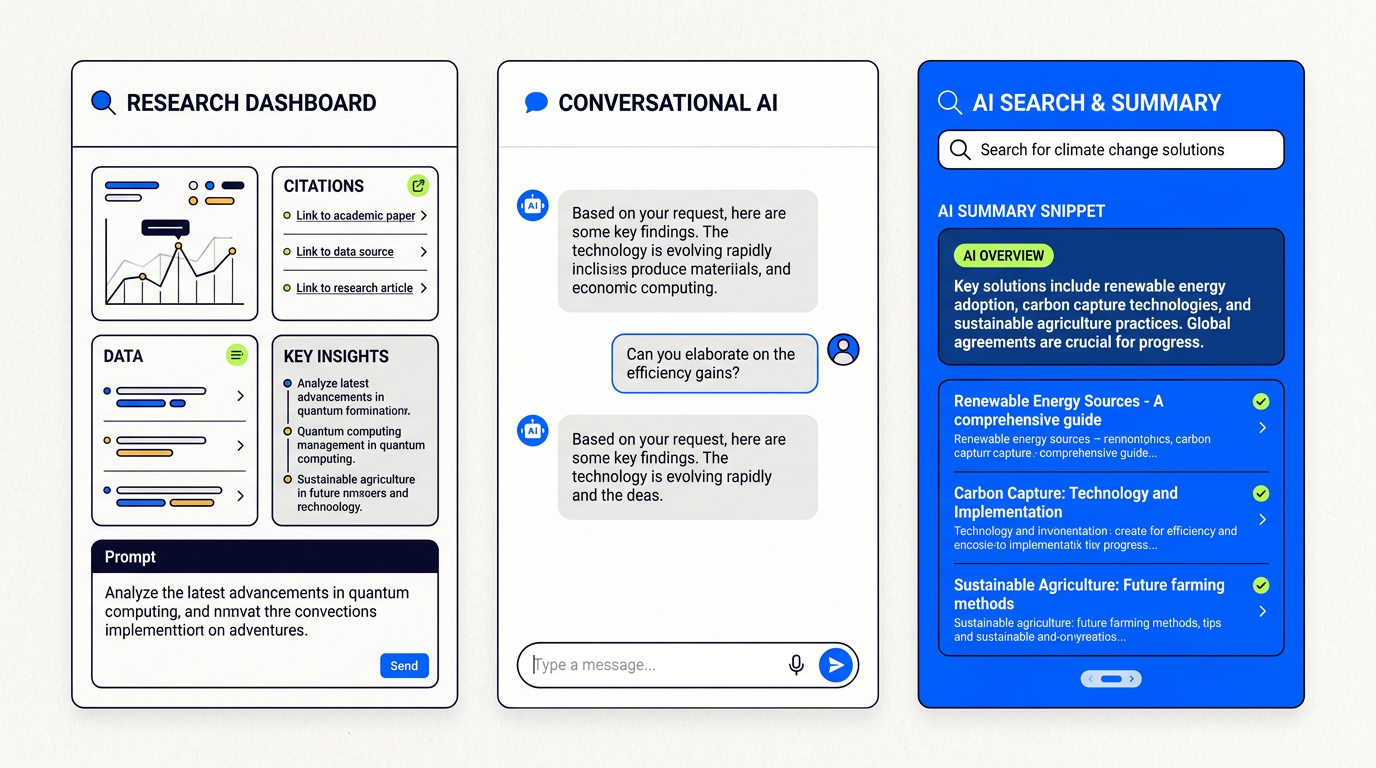
Choosing an AI search engine depends on your task. Perplexity is best for sourced, research-based answers. ChatGPT excels at conversational queries and creative tasks. Google’s AI Overviews integrate AI summaries directly into traditional search results for quick answers, shopping, and local queries. Each serves a different primary purpose.
Let’s get one thing straight: there is no single “best” AI search engine. Anyone who tells you otherwise is selling something. The real question isn’t which one is number one, but which one is the right tool for what you need to do right now. This isn’t a one-size-fits-all world anymore.
Think of it like a toolbox. You wouldn’t use a hammer to turn a screw. In the same way, you shouldn’t use a creative AI like ChatGPT for rigorous academic research. This AI search engine comparison is about helping you pick the right tool for the job. We’re going to look at the big three: Perplexity, ChatGPT with Search, and Google’s AI Overviews.
We’ll break down what each one does best, who it’s for, and when you should reach for it. By the end, you’ll have a clear framework for choosing your go-to AI assistant, saving you time and getting you better answers.
An AI search engine is a tool that gives you a direct, summarized answer to your question instead of just a list of links. It uses a Large Language Model (LLM)—the same kind of “brain” that powers ChatGPT—to understand your query, search the web, read multiple sources, and then synthesize a single, coherent response.
Crucially, the good ones also provide citations or source links, showing you exactly where they got their information. This is their key feature: they do the reading and summarizing for you.
The difference is simple: summary vs. library.
Traditional search engines like Google are like a massive digital library. You ask a question, and the librarian (Google’s algorithm) points you to a shelf of relevant books (a list of blue links). You still have to go pull the books, open them, and find the information yourself.
AI search engines are like asking that same librarian to go read the most relevant books for you, write up a one-page summary, and hand it to you with footnotes. It’s a direct answer, not a list of potential answers. This is a fundamental shift from searching to asking.
This shift creates a new landscape of zero-click searches, where you get your answer on the results page without ever visiting another website.
This is the main event. While all three give you AI-powered answers, they are built for very different jobs. Here’s the breakdown.
What it is: Perplexity is an “answer engine” built from the ground up for research. Its entire interface is designed to give you a clear, concise answer with numbered citations that link directly to the sources. It’s clean, fast, and focused.
Who it’s for: Students, academics, journalists, analysts, and anyone who needs trustworthy, verifiable answers. If your work depends on knowing where the information came from, Perplexity is your starting point.
Standout Feature: The citations. They are front-and-center, not an afterthought. This builds trust and makes it a genuinely useful tool for serious work.
What it is: This is the ChatGPT you know, but with a live connection to the internet (available to Plus subscribers). It can pull fresh information from the web to answer questions about recent events or topics outside its original training data.
Who it’s for: Creators, marketers, developers, and anyone who needs a creative partner for brainstorming, writing, or summarizing. It excels at conversational queries where you refine your idea through back-and-forth dialogue.
Standout Feature: Its versatility. ChatGPT is a Swiss Army knife for knowledge work, blending search with powerful content creation and analysis capabilities.
What it is: Google’s AI Overviews are AI-generated summaries that appear at the very top of some standard Google search results. It’s not a separate product; it’s an enhancement to the search page you already use.
Who it’s for: Literally everyone using Google for everyday questions. It’s designed for quick, “good enough” answers to common queries, especially for shopping, local businesses, and simple how-tos.
Standout Feature: Its convenience. For the millions of simple questions people ask Google every day, it provides a faster path to the answer without changing user behavior.
Still unsure? Think about the “job” you are “hiring” the AI to do.
Matching the tool to the job is the most important skill in using AI effectively.
For dedicated research, Perplexity is the best AI search engine. Its design prioritizes clear, numbered citations that link directly to the source material. This makes it easy to verify information and build a bibliography. Its “Focus” feature, which allows you to limit searches to academic papers or other specific domains, further enhances its utility for researchers, students, and journalists.
The big three are just the beginning. The world of AI search is exploding with new and specialized tools. Here’s a broader look at the landscape, from the main contenders to niche specialists. For a deeper dive, check out our guide to the best AI search engines.
These are the big, general-purpose platforms. You already know about Perplexity, ChatGPT, and Google. The fourth major player is Microsoft Copilot (formerly Bing Chat), which is deeply integrated into the Windows and Microsoft 365 ecosystem. It’s powered by OpenAI’s models (like ChatGPT) and offers a good balance of conversational search and productivity features.
These tools focus on doing one thing exceptionally well.
These are newer players trying to rethink the search interface itself.
| Tool | Key Feature | Pricing (as of late 2024) | Best For |
|---|---|---|---|
| Perplexity | Excellent citations and research “Focus” modes. | Free tier; Pro plan (~$20/mo) for advanced models and more usage. | Academic research, fact-checking, journalism. |
| ChatGPT w/ Search | Deep conversational ability and creative generation. | Requires Plus plan (~$20/mo). | Brainstorming, writing, coding, complex queries. |
| Google AI Overviews | Seamless integration into standard Google search. | Free (ad-supported). | Everyday questions, local search, shopping. |
| Microsoft Copilot | Integration with Windows and Microsoft 365. | Free tier; Pro plan (~$20/mo) for priority access and advanced features. | Productivity tasks, users in the Microsoft ecosystem. |
| Consensus | Searches only peer-reviewed scientific papers. | Limited free tier; Premium plan for more features. | Scientific and medical research. |
| Phind | Optimized for developers and technical questions. | Generous free tier; Paid plans for more power. | Coding, debugging, technical problem-solving. |
You don’t need a computer science degree to understand this. At its heart, AI search uses two key technologies working together.
The LLM (Large Language Model): This is the “brain.” It’s an AI model like OpenAI’s GPT-4 or Google’s Gemini that has been trained on a vast amount of text. It’s incredibly good at understanding language, summarizing, and generating human-like text. Its weakness? Its knowledge is frozen in time and it can “hallucinate” (make things up).
RAG (Retrieval-Augmented Generation): This is the “librarian.” When you ask a question, the RAG system first performs a quick, modern web search to “retrieve” relevant, up-to-date information. It then “augments” the LLM’s knowledge by feeding it this fresh information as context.
So, the LLM isn’t just answering from its old memory. It’s answering based on the fresh web pages RAG just handed it. This is how AI search engines can talk about today’s news and, most importantly, provide source links.
We can group most of these tools into three buckets.
These tools are built to give you one, definitive, sourced answer. The goal is to replace the list of links entirely. They are optimized for accuracy and trust.
These tools are designed for dialogue. The first answer is just the beginning of a conversation. You can ask for clarifications, change perspectives, and explore a topic’s nuances.
These tools weave AI answers into a traditional search experience. They aren’t trying to replace the old model completely but rather enhance it by putting AI summaries on top of the familiar list of links.
To use Perplexity AI effectively, you should treat it like a research assistant.
The quality of your answer depends heavily on the quality of your question (your “prompt”).
Be specific and ask for sources.
Give the AI a role and a clear goal.
Provide context and ask for structured output.
For anyone who publishes content online, the rise of AI search is a seismic shift. The old game of SEO (Search Engine Optimization) is changing fast.
The new goal isn’t just to rank #1. It’s to be cited in the AI-generated answer. AI Overviews and answer engines are becoming the new “position zero.” To get there, your content needs to be the most direct, accurate, and well-structured answer to a specific question. Think clear headings, concise paragraphs, and data-backed claims. This is the new frontier of AEO (Answer Engine Optimization).
Google’s concept of E-E-A-T (Experience, Expertise, Authoritativeness, and Trustworthiness) is now paramount. AI models are being trained to recognize and prioritize content that demonstrates these signals.
Content that is generic, shallow, or untrustworthy will be ignored by AI search engines. High-quality, expert-driven content is the only future-proof strategy.
The primary disadvantages of AI search engines are the risks of inaccuracy, bias, and lack of transparency.
These tools are not perfect. It’s critical to use them with a healthy dose of skepticism.
The biggest problem is “hallucinations”—a polite term for when the AI makes things up. Because the text it generates is so confident and well-written, it’s easy to believe. This is why tools with clear citations, like Perplexity, are so valuable. If you can’t check the source, you can’t trust the answer for anything important.
There’s also the issue of bias. LLMs are trained on the internet, which is filled with human biases. These models can inadvertently launder and amplify those biases in their answers. Always consider the perspective an AI answer might be missing.
It depends on the type of answer you need. Perplexity is often better than Google for complex questions that require synthesizing information from multiple sources, especially for research. Its sourced, direct answers can be faster and more useful than a list of links.
However, Google is still superior for local queries (“restaurants near me”), real-time information (sports scores), and shopping. Google’s AI Overviews are an attempt to bring Perplexity-style answers to its platform, but for now, they serve different primary use cases.
This is just the beginning. The future of search is likely to be more personal, multi-modal, and agentic.
The simple search box is evolving into a powerful AI assistant, and the companies that master this transition will define the next era of how we access information. The AI search engine comparison of today will look quaint in just a few years, but the core principle will remain: pick the right tool for the job.
What about Microsoft Copilot? Where does it fit in?
Microsoft Copilot (formerly Bing Chat) is a major competitor, best seen as a direct rival to ChatGPT with Search and Google AI Overviews. It’s deeply integrated into Windows and the Microsoft 365 suite, making it a strong choice for users focused on productivity tasks within that ecosystem.
Are AI search engines free to use?
Most AI search engines operate on a “freemium” model. They offer a capable free tier that is sufficient for many users. They also offer paid “Pro” or “Plus” plans (typically around $20/month) that provide access to more advanced AI models (like GPT-4 Turbo or Claude 3), higher usage limits, and special features.
Is my search history private?
Generally, you should assume it is not. Most companies use your conversations to improve their models. While they have privacy policies, it’s wise not to enter sensitive personal, financial, or proprietary business information into a public AI chat interface. Some tools, like Perplexity Pro, offer settings that promise not to train on your data.

Part of the Thinker's Automation Labs content team. Researches with the SEO Blog Research Agent, drafts the piece, and routes it through review before publishing. Every claim is fact-checked against primary sources.
Restaurant order automation AI uses artificial intelligence, like voice AI and natural language processing, to take customer orders…

The latest AI tools released in October 2026 include new proprietary models from major labs like OpenAI and…

Playwright is a browser automation library used for web scraping by controlling real browser engines like Chromium, Firefox,…